SMED Changeover Analysis Workbook – cover image
LeanMicrosoft Excel Desktop (Windows)Version 1.0.1English

SMED Changeover Analysis Workbook

Record a changeover step by step, separate internal and external work, quantify the reduction potential and prove the result. A practical SMED study for one changeover.

€19.90

Purchase link coming soon

Not tested on Mac, Excel for the web or Google Sheets.

What it does

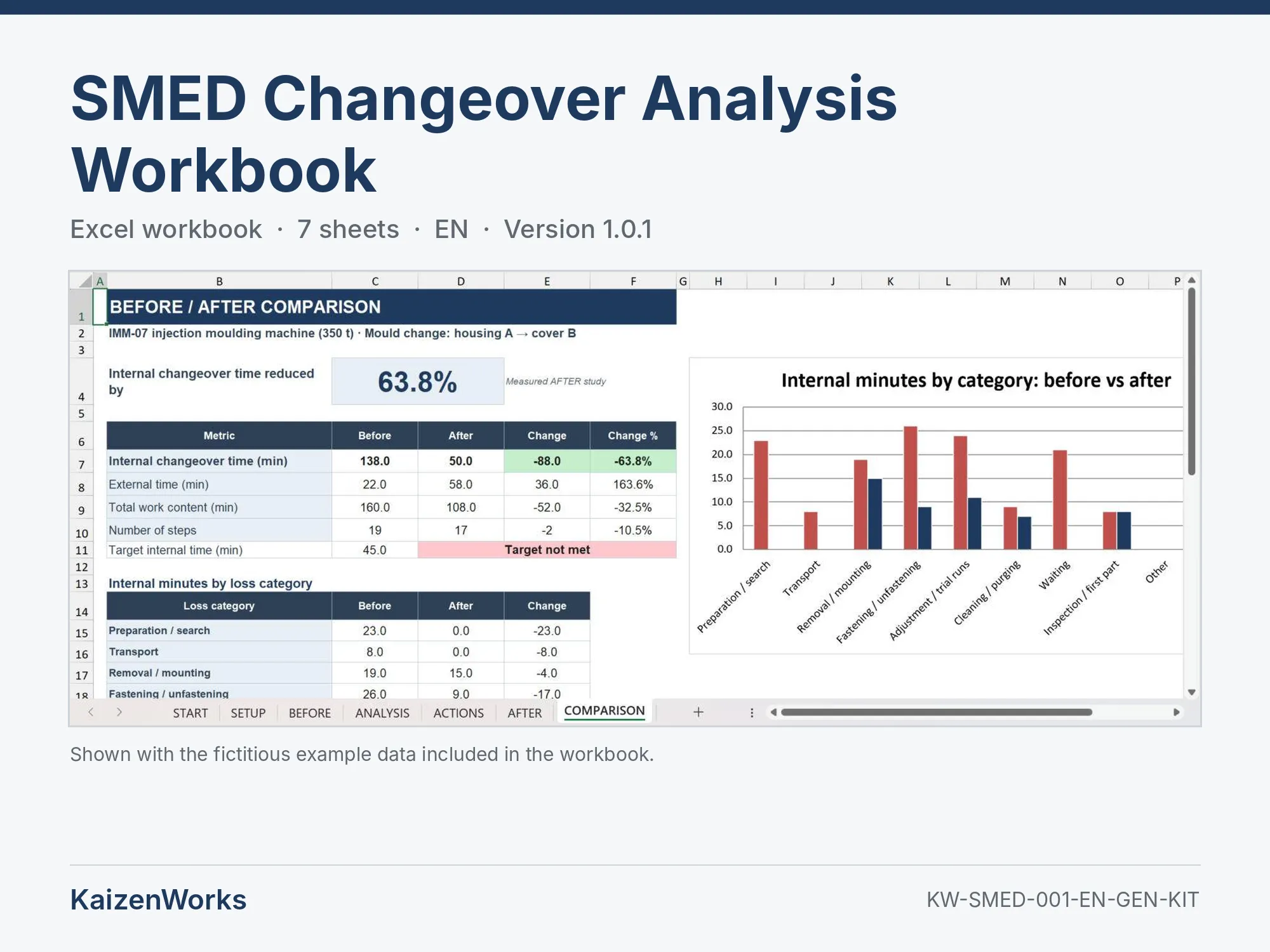
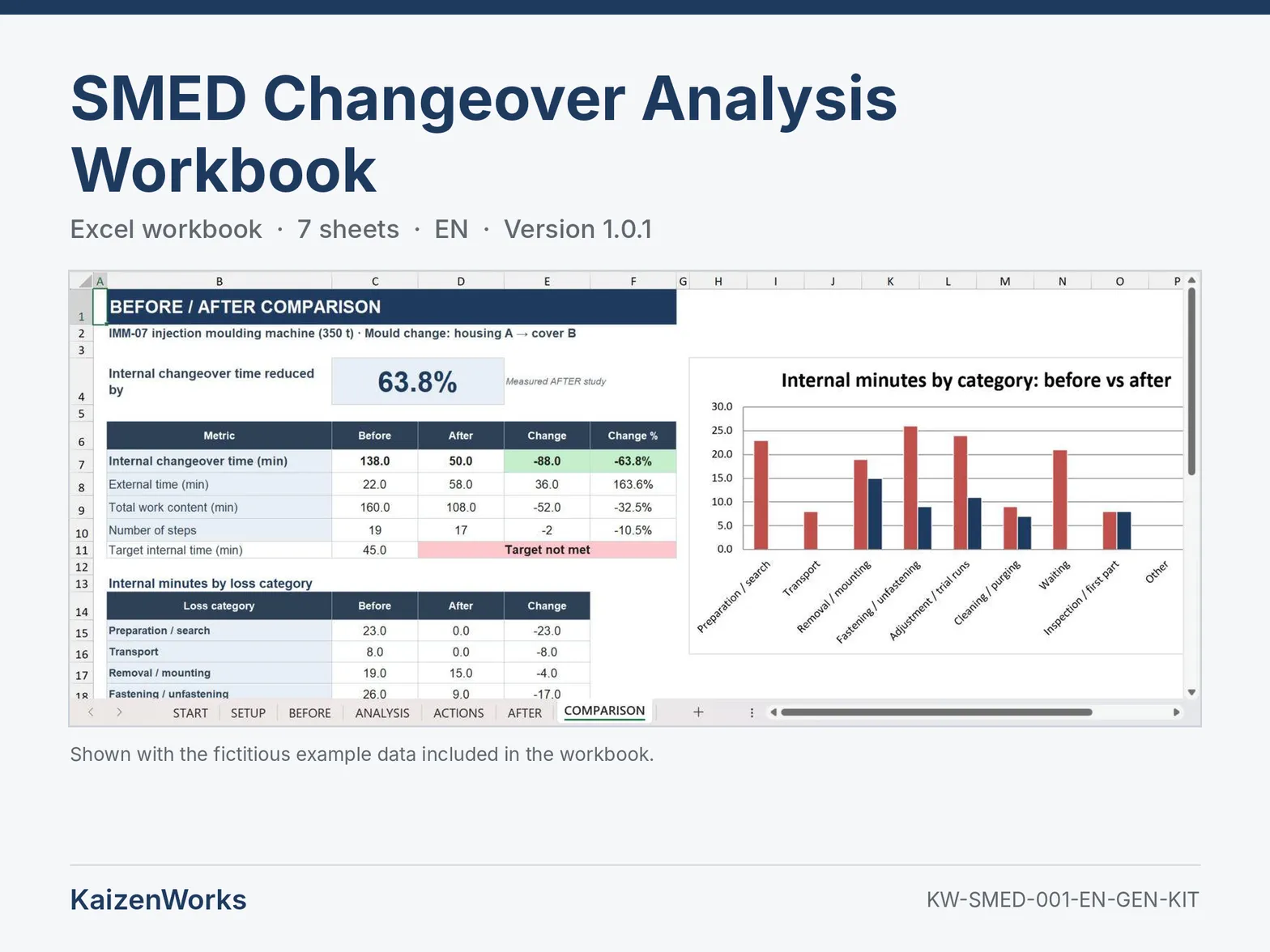
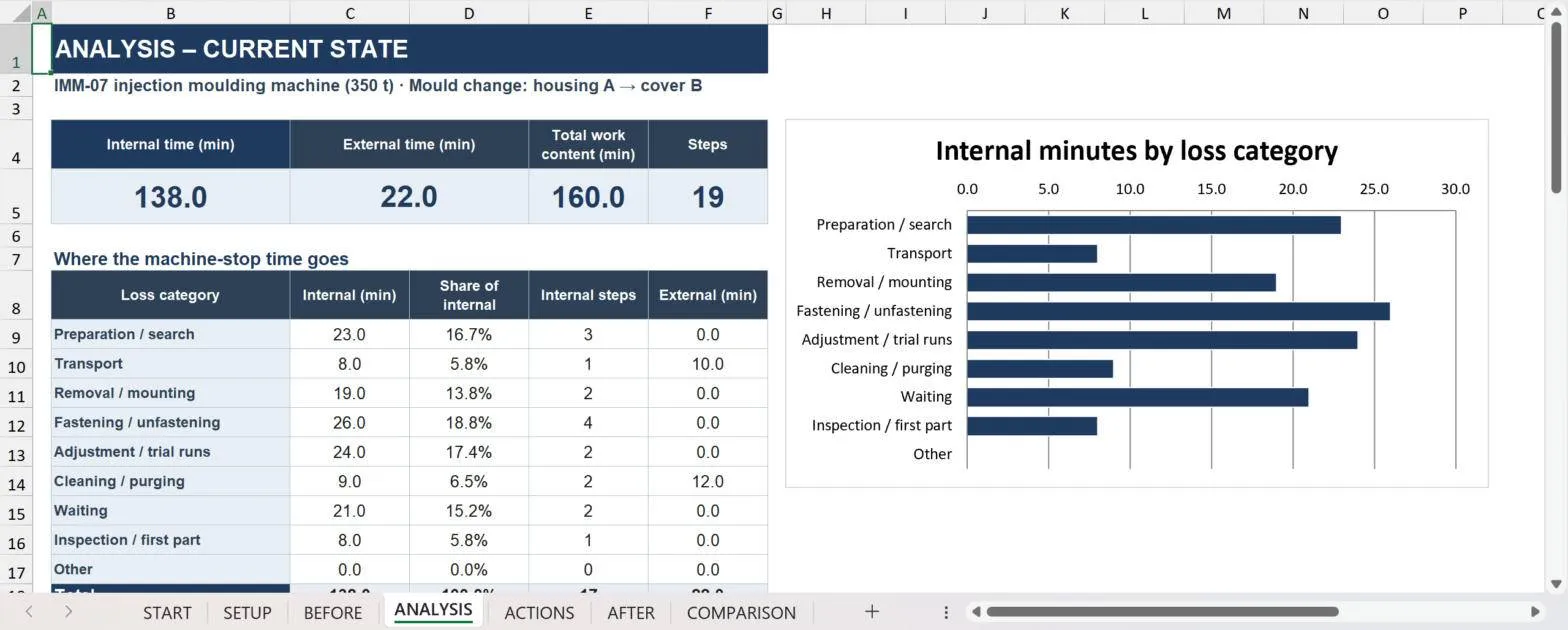
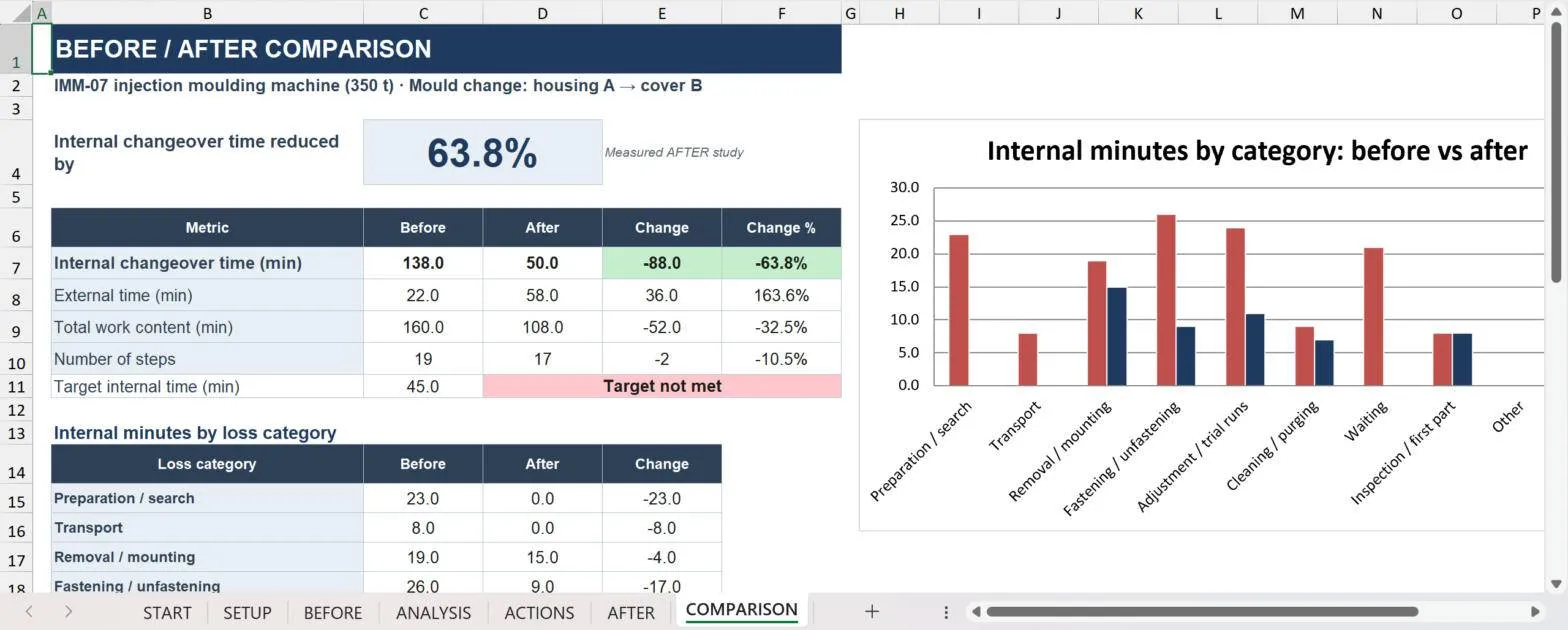
A practical SMED study for one changeover. You record the current changeover as a list of steps with duration, internal or external, and loss category. The workbook shows where the machine-stop time goes, how much can be moved outside the stop, eliminated or shortened, and after the improvement it compares the measured result with the baseline, including the machine time freed per year.

Key features

  • Sheets: START, SETUP, BEFORE, ANALYSIS, ACTIONS, AFTER, COMPARISON

What's included

1 Excel workbook (KW-SMED-001-EN-GEN-KIT_SMED-Changeover-Analysis-Workbook_v1.0.1.xlsx, English) and 3 text files (LICENSE_EN.txt, CHANGELOG_EN.txt, SUPPORT_EN.txt) in one folder.

  • KW-SMED-001-EN-GEN-KIT_SMED-Changeover-Analysis-Workbook_v1.0.1.xlsx
  • LICENSE_EN.txt
  • CHANGELOG_EN.txt
  • SUPPORT_EN.txt

How it works

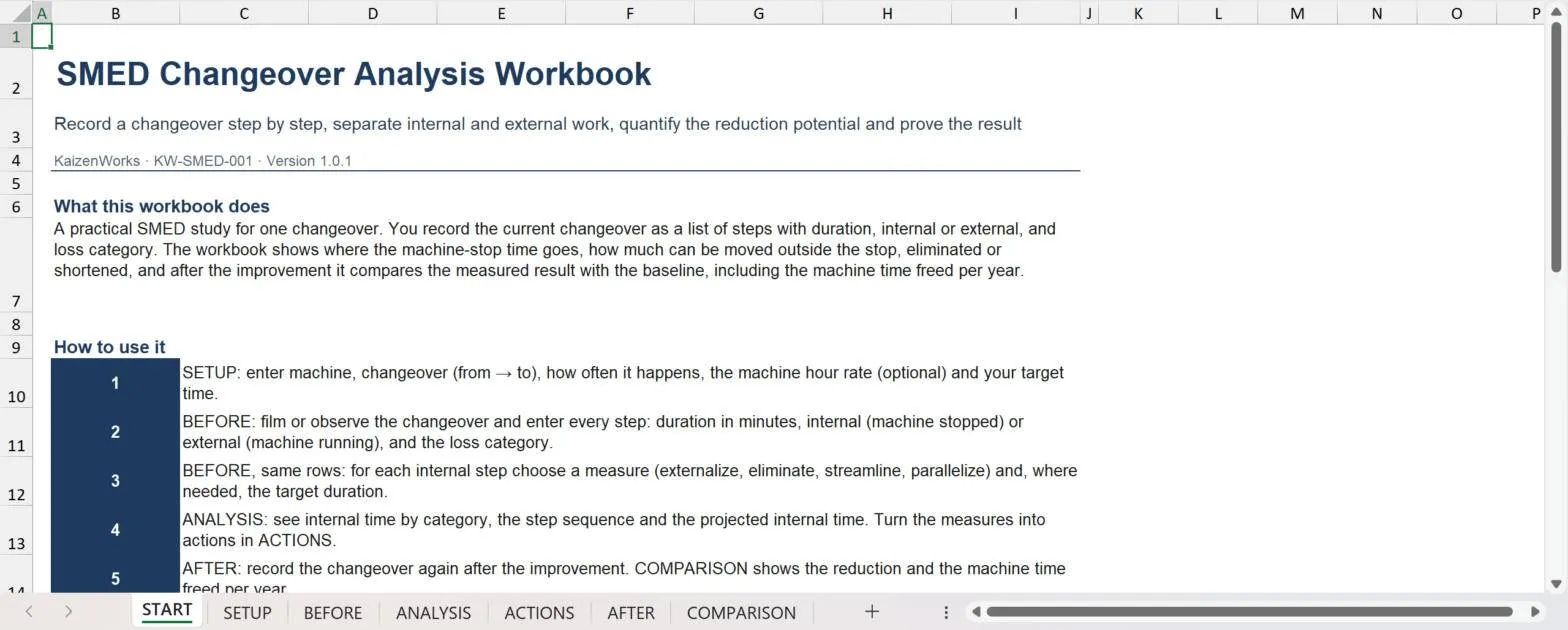
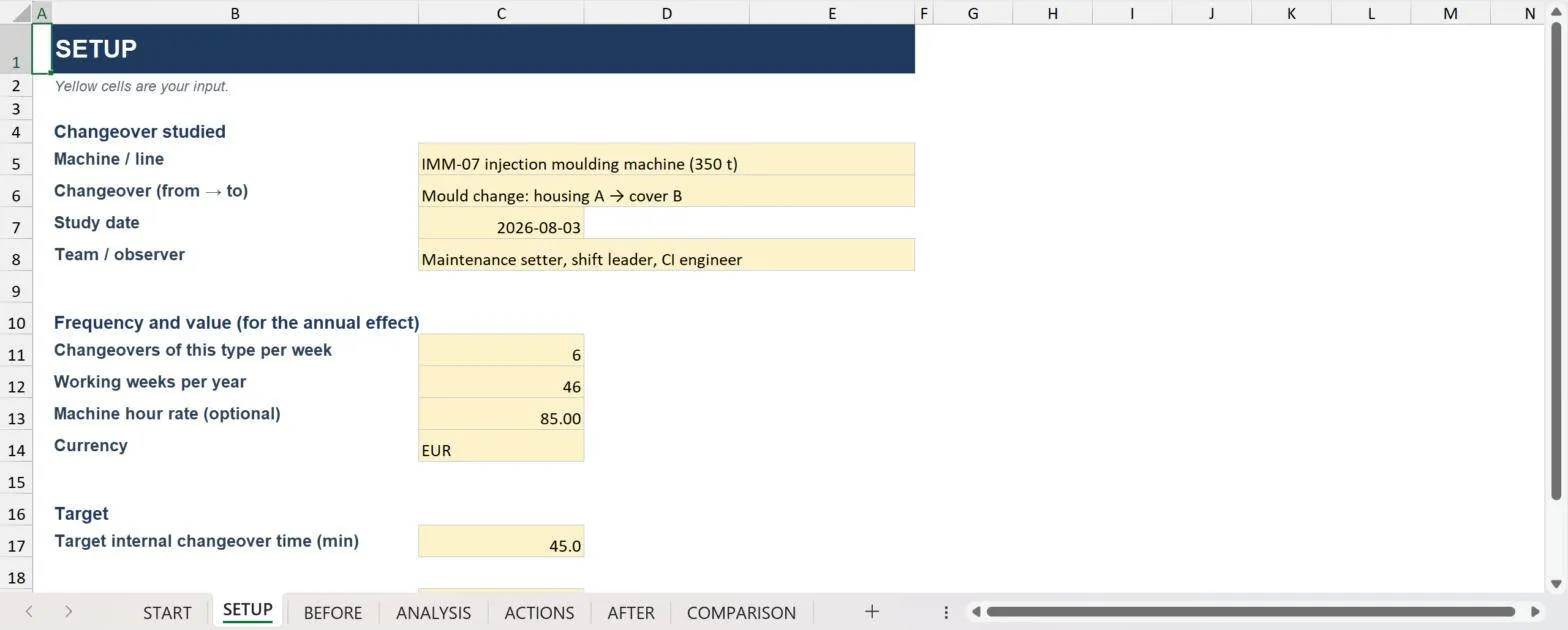
  1. SETUP: enter machine, changeover (from → to), how often it happens, the machine hour rate (optional) and your target time.
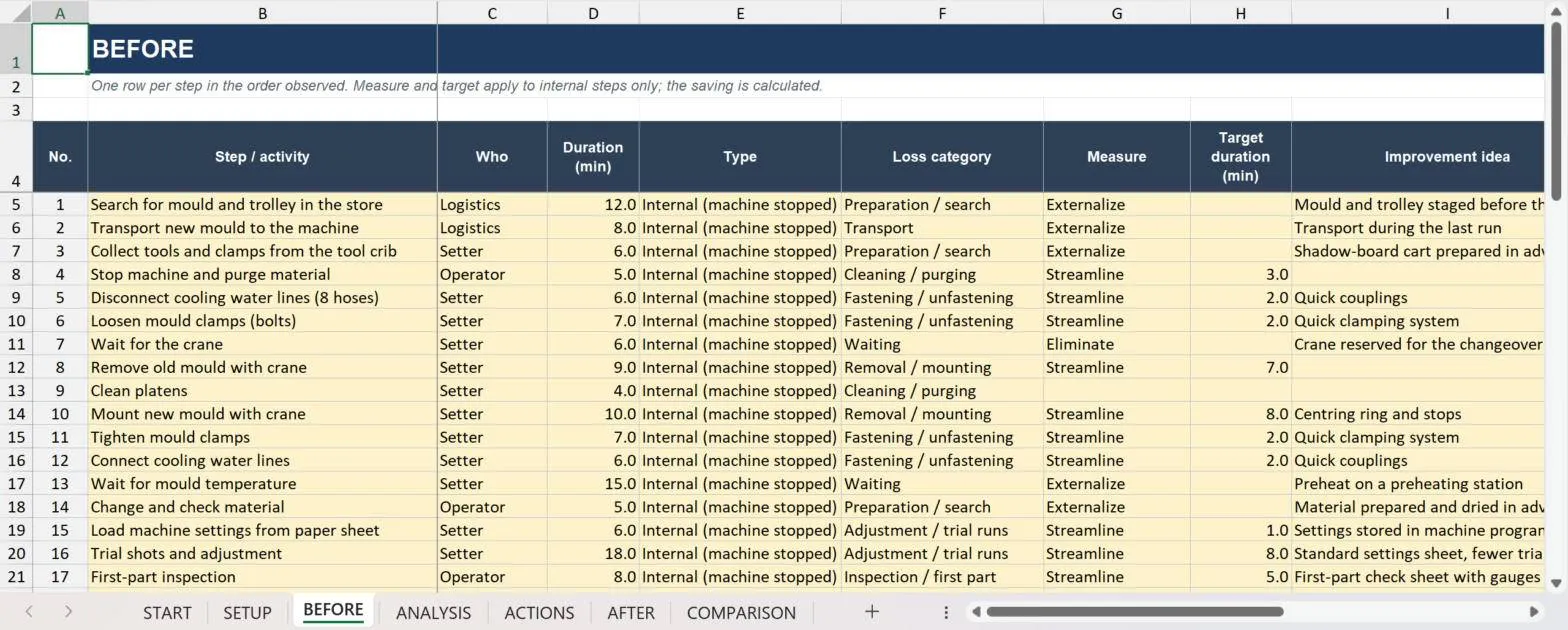
  2. BEFORE: film or observe the changeover and enter every step: duration in minutes, internal (machine stopped) or external (machine running), and the loss category.
  3. BEFORE, same rows: for each internal step choose a measure (externalize, eliminate, streamline, parallelize) and, where needed, the target duration.
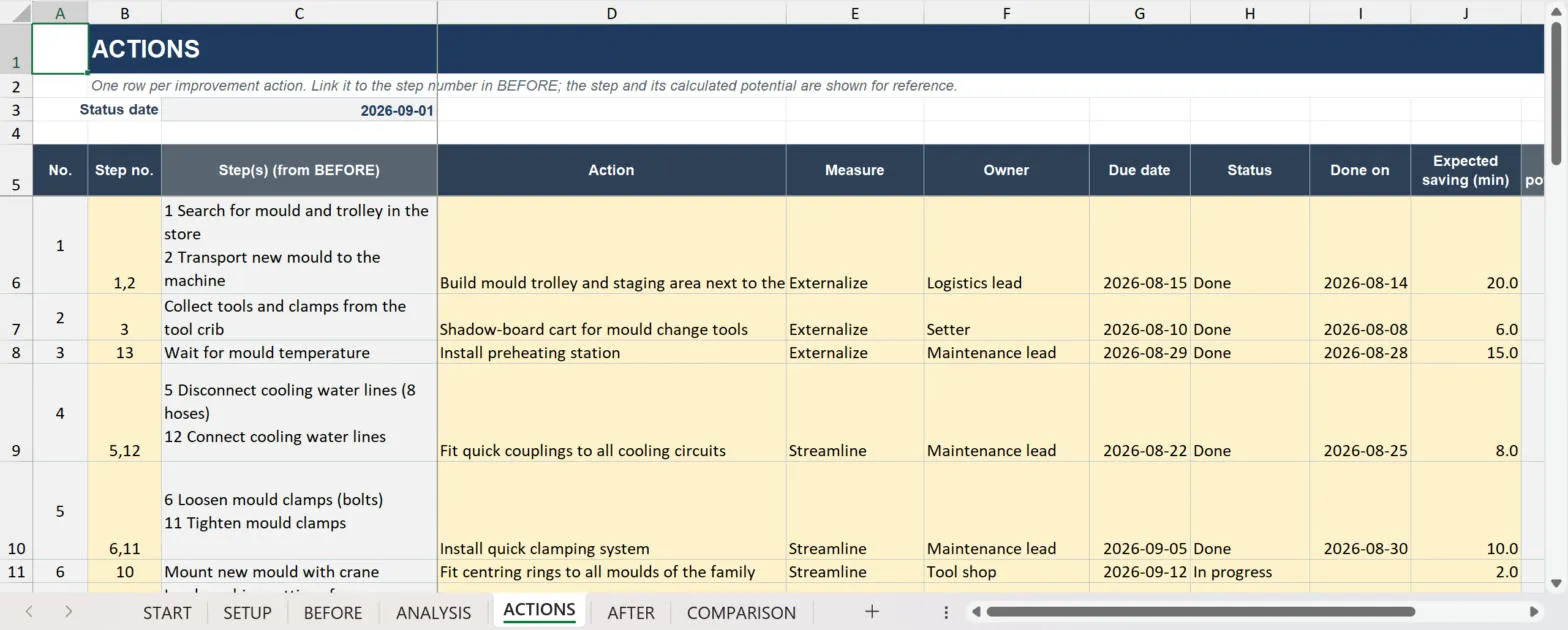
  4. ANALYSIS: see internal time by category, the step sequence and the projected internal time. Turn the measures into actions in ACTIONS.
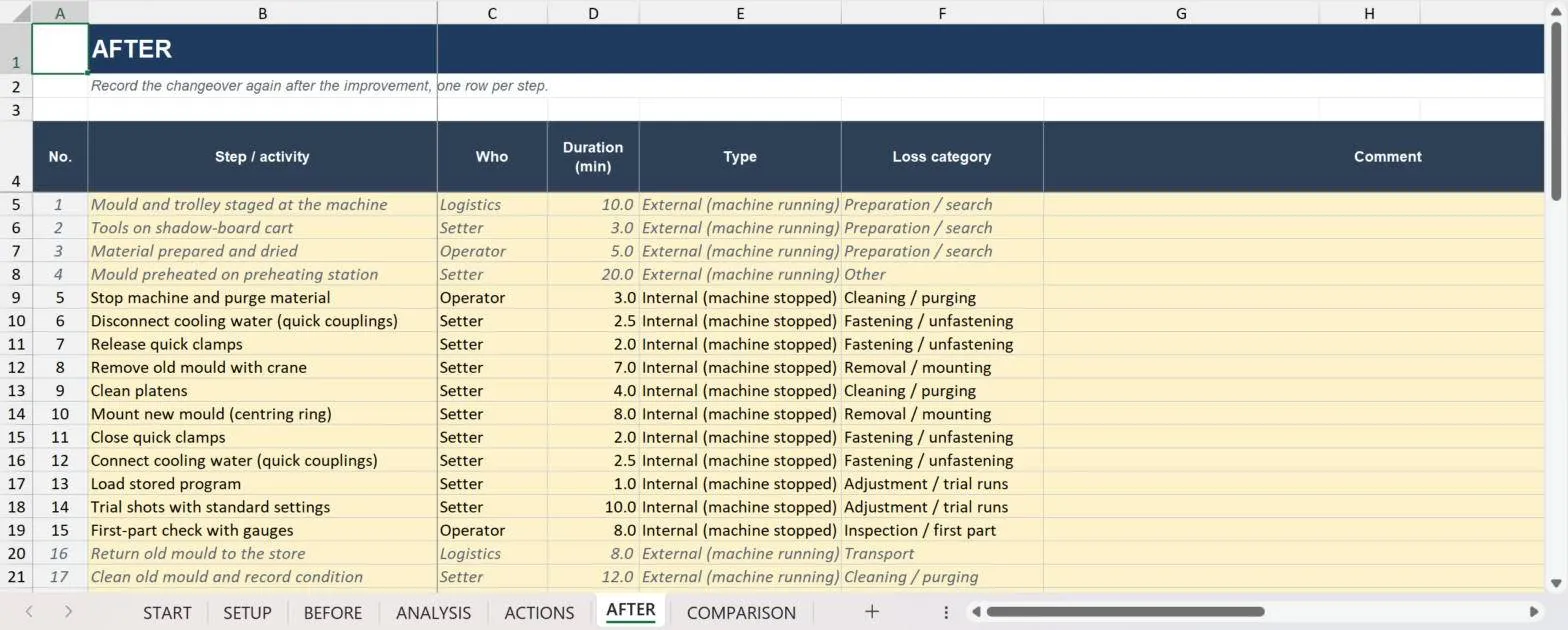
  5. AFTER: record the changeover again after the improvement. COMPARISON shows the reduction and the machine time freed per year.

First use and example data

  • The workbook contains a fictitious example (mould change on an injection moulding machine). To start your own study, select the yellow cells in SETUP, BEFORE, ACTIONS and AFTER and press Delete; also clear the status date in SETUP.

Screenshots from the workbook

Technical information and compatibility

Target environment: Microsoft Excel Desktop on Windows. Tested on Microsoft 365 on Windows 11. No macros, no internet connection. Sheets are protected without a password (Review > Unprotect Sheet). Capacity: 50 steps per study, 50 actions.

Not tested on Mac, Excel for the web or Google Sheets.

Notes on use and calculation

  • Changeover time (internal time) is the machine-stop time from the last good part of the previous product to the first good part of the next product at normal speed. The same definition is used in KW-KPI-001 (KPI-PRD-06).
  • Enter durations in minutes as numbers, using the decimal separator of your Excel settings (0.5 or 0,5 = 30 seconds). This workbook records one sequence; work done in parallel by a second person is entered as its own step and marked 'parallelize' where relevant.
  • The projected internal time is an estimate from your own measures and target durations. The measured AFTER study is the evidence.

File format and delivery

Digital download (ZIP). No physical item is shipped.

Licence

One site, internal use; unlimited users at that site; no redistribution or resale.

Support

For support, please use the messaging function of the shop where you purchased this product.

Related products

  • Microsoft Excel Desktop (Windows)English

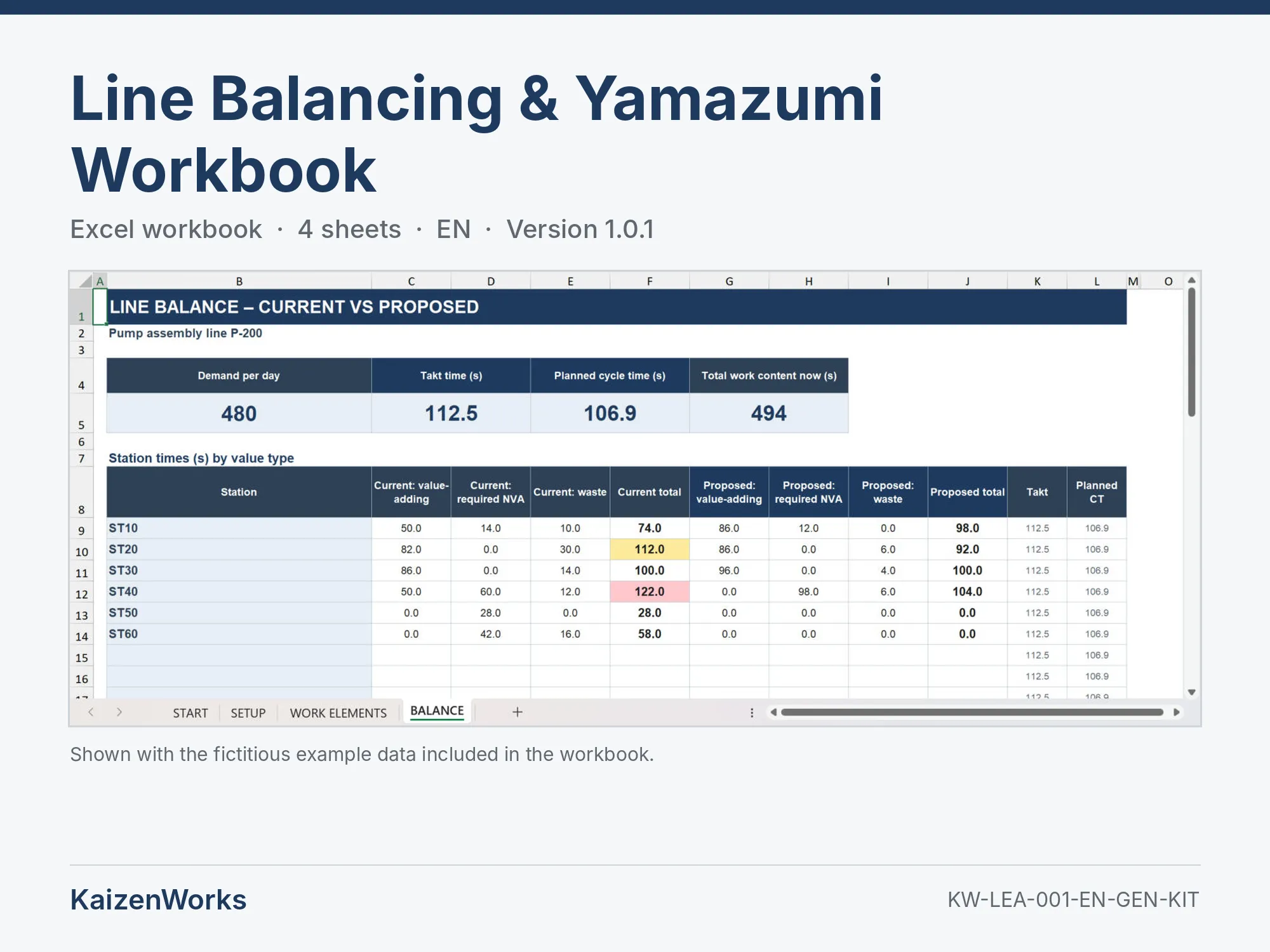
    Line Balancing & Yamazumi Workbook

    Calculate takt from demand, list the work elements, compare the current station split with a rebalanced proposal and see the effect on operators, output and balance loss. A line balancing tool for one manual or semi-automatic line.

    €14.90View details
  • Microsoft Excel Desktop (Windows)English

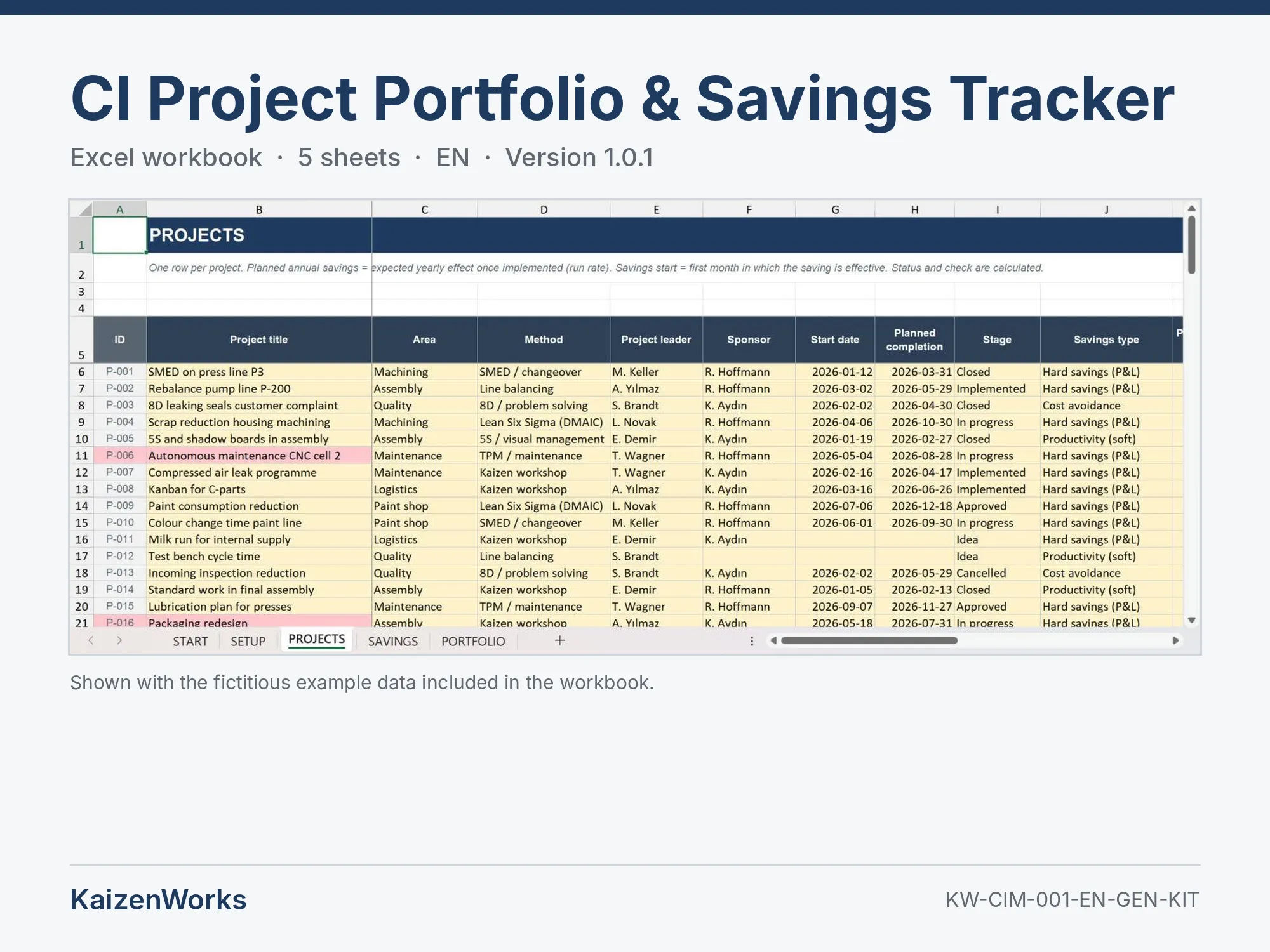
    CI Project Portfolio & Savings Tracker

    One register for all improvement projects of a site: pipeline by stage, planned versus realised savings by month, finance validation and overdue projects in one portfolio view. A portfolio tracker for the continuous improvement projects of one site and one fiscal year.

    €14.90View details
  • Microsoft Excel Desktop (Windows)English

    Guided 8D Problem Solving Workbook

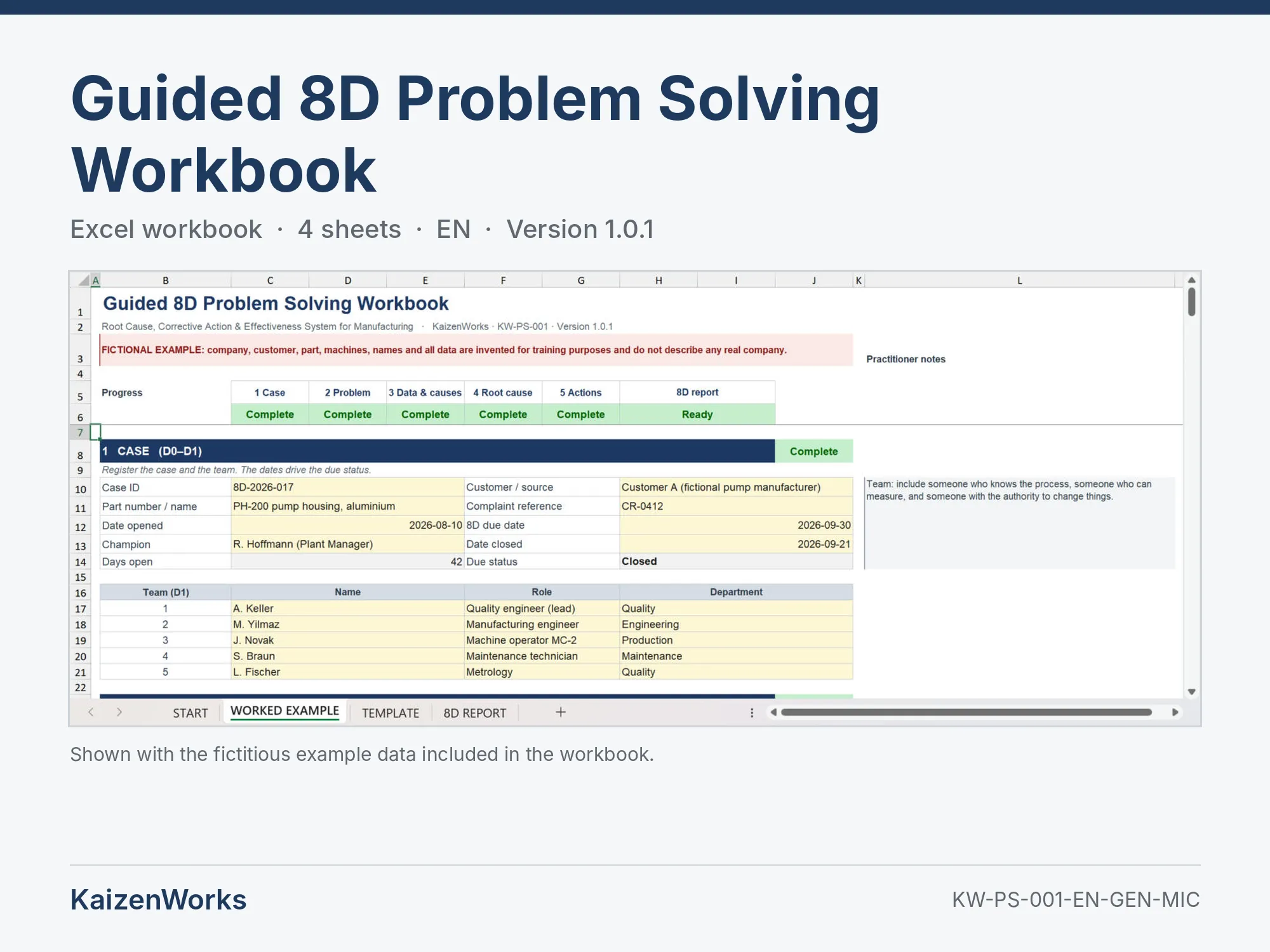
    Root Cause, Corrective Action & Effectiveness System for Manufacturing. It guides you through a structured 8D problem-solving case: from a factual problem definition and containment, through data, possible causes and evidence, to a verified root cause, corrective actions, an effectiveness check and a printable 8D report.

    €14.90View details