Skills & Qualification Matrix – cover image
TrainingMicrosoft Excel Desktop (Windows)Version 1.0.1English

Skills & Qualification Matrix

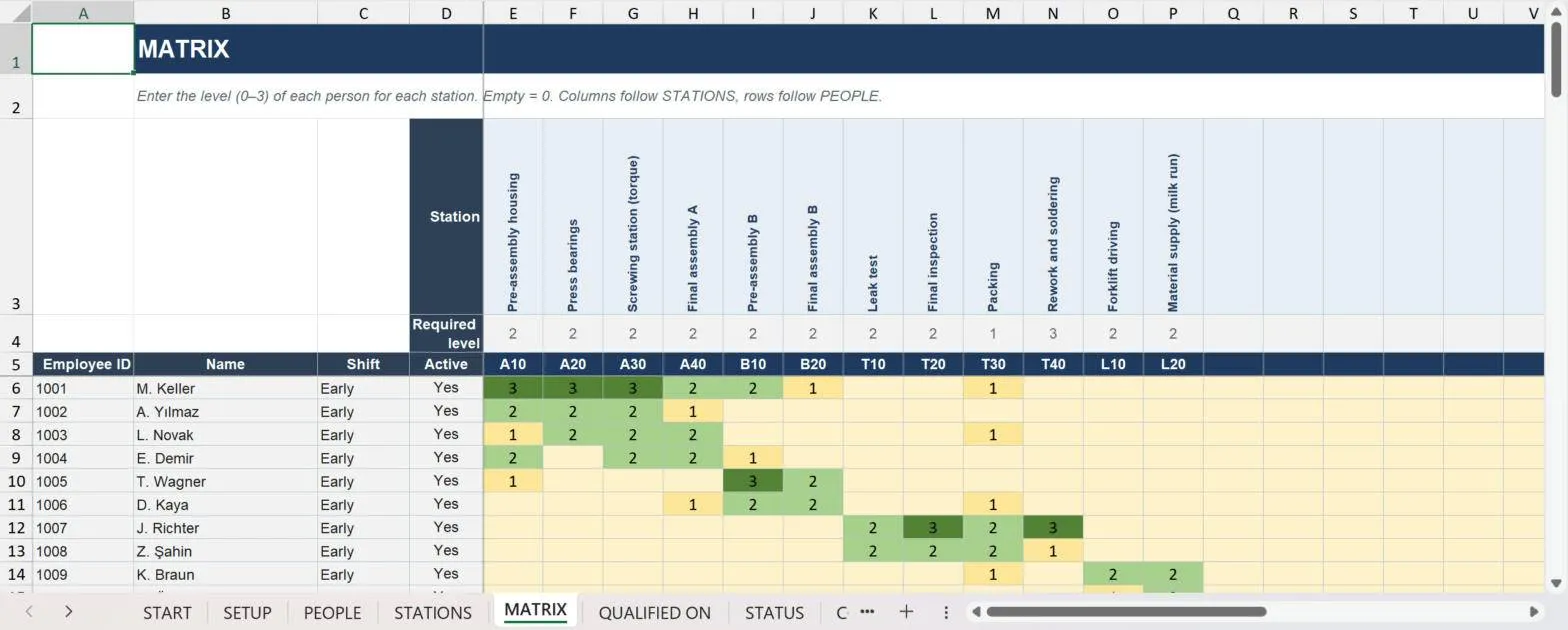
Who is qualified for which station, in which shift, and for how long – with coverage against the staffing need, single points of failure, expiring qualifications and the training plan. A workforce capability tool for a production area – not an HR system.

€14.90

Purchase link coming soon

Not tested on Mac, Excel for the web or Google Sheets.

What it does

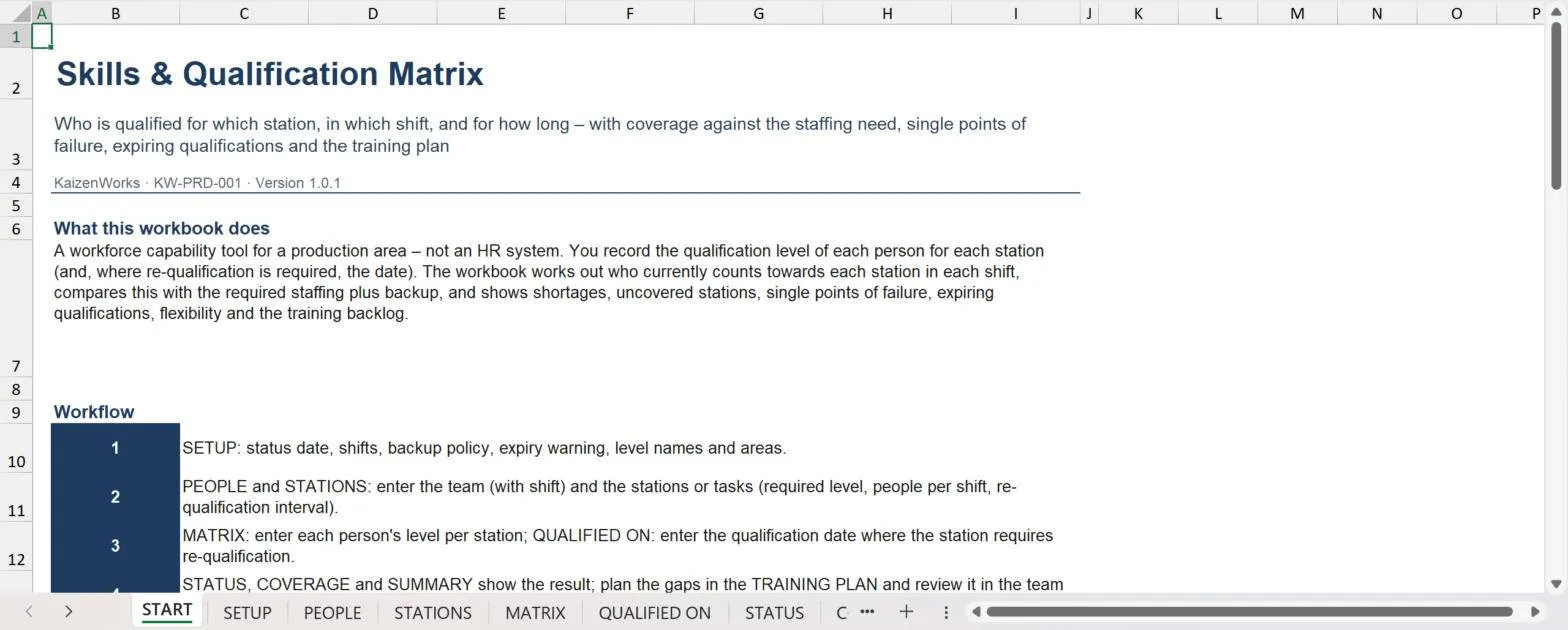
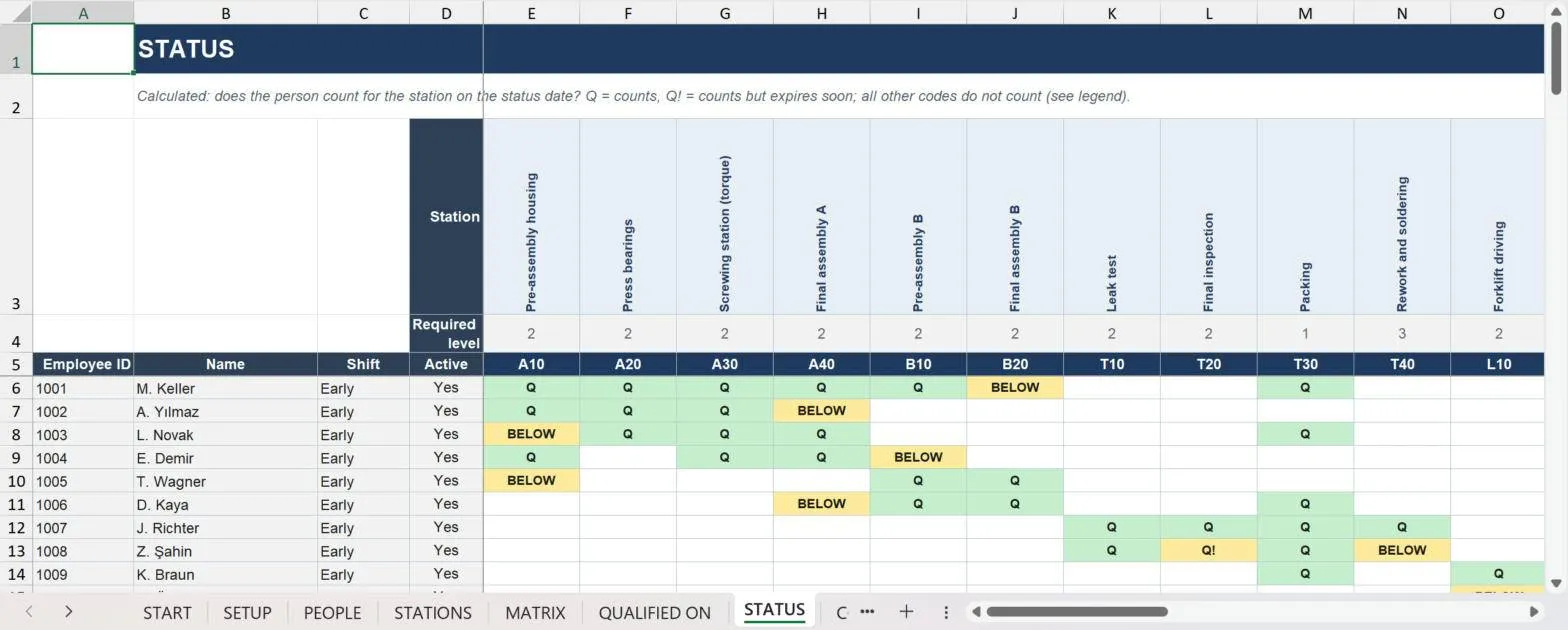
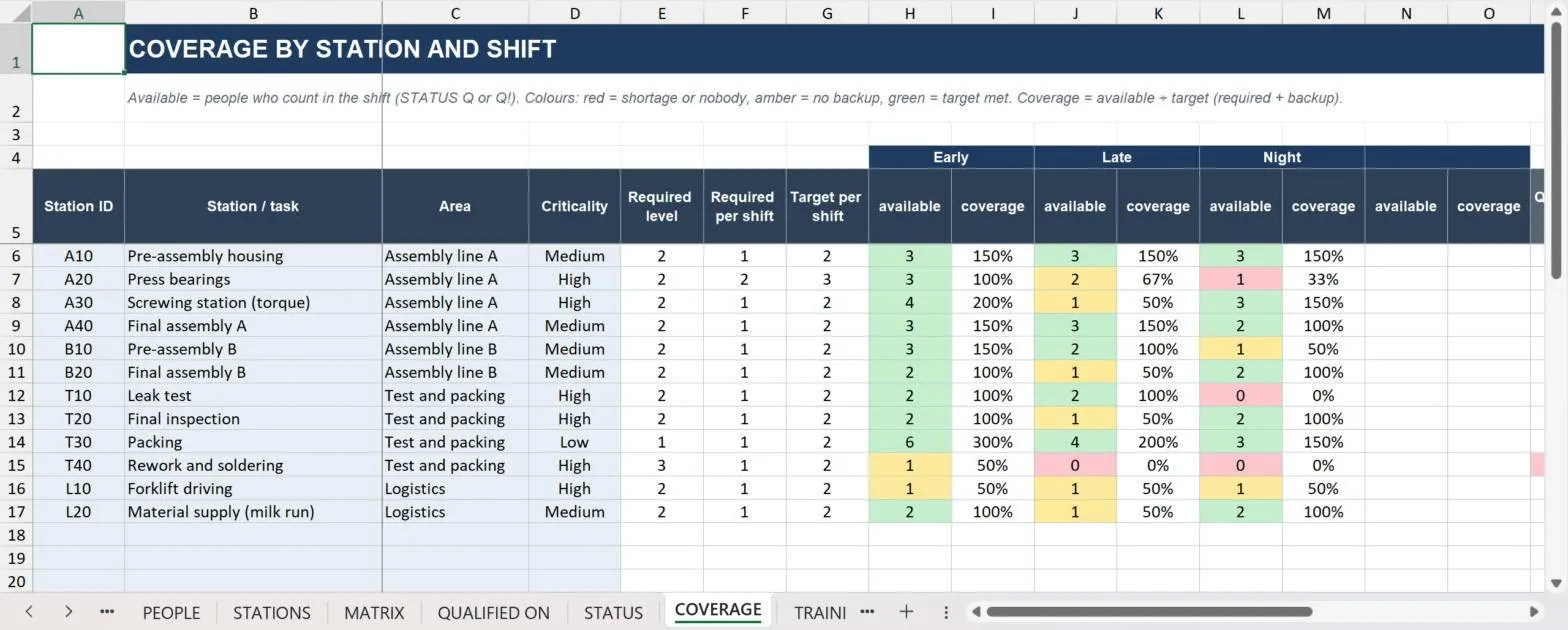
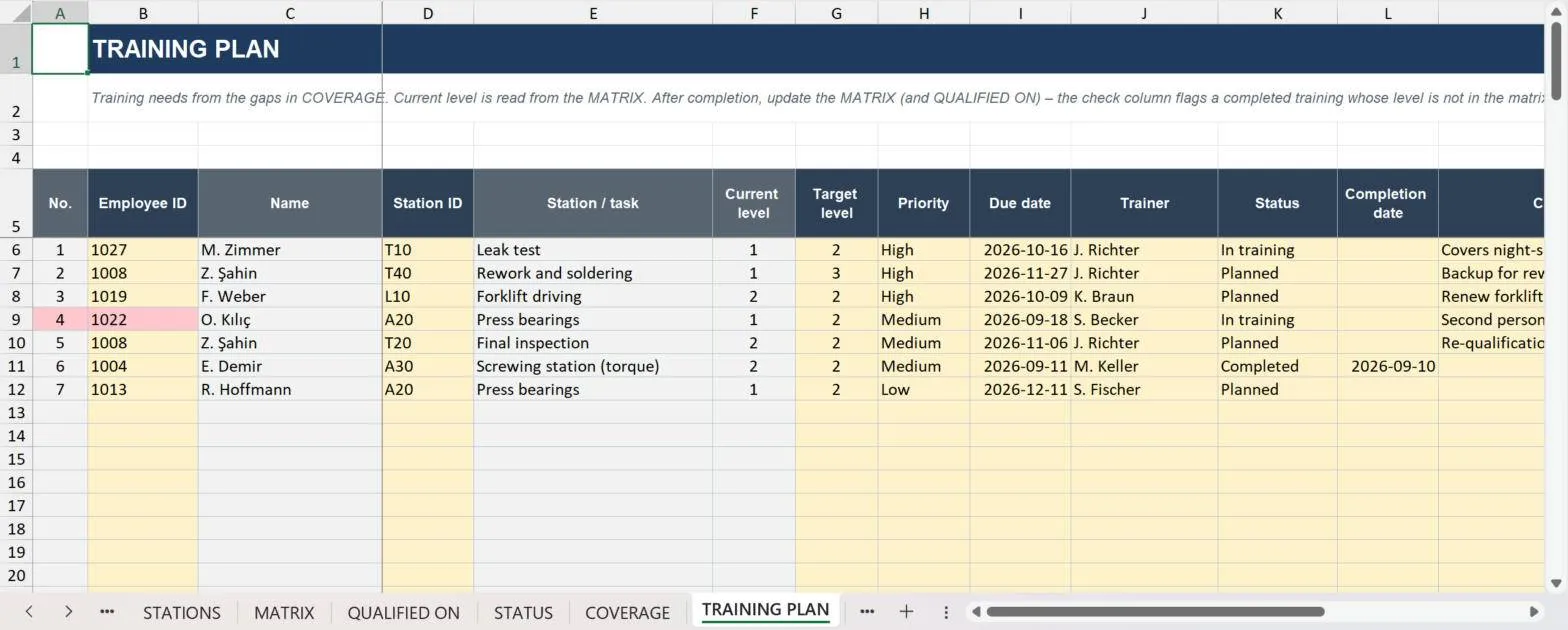
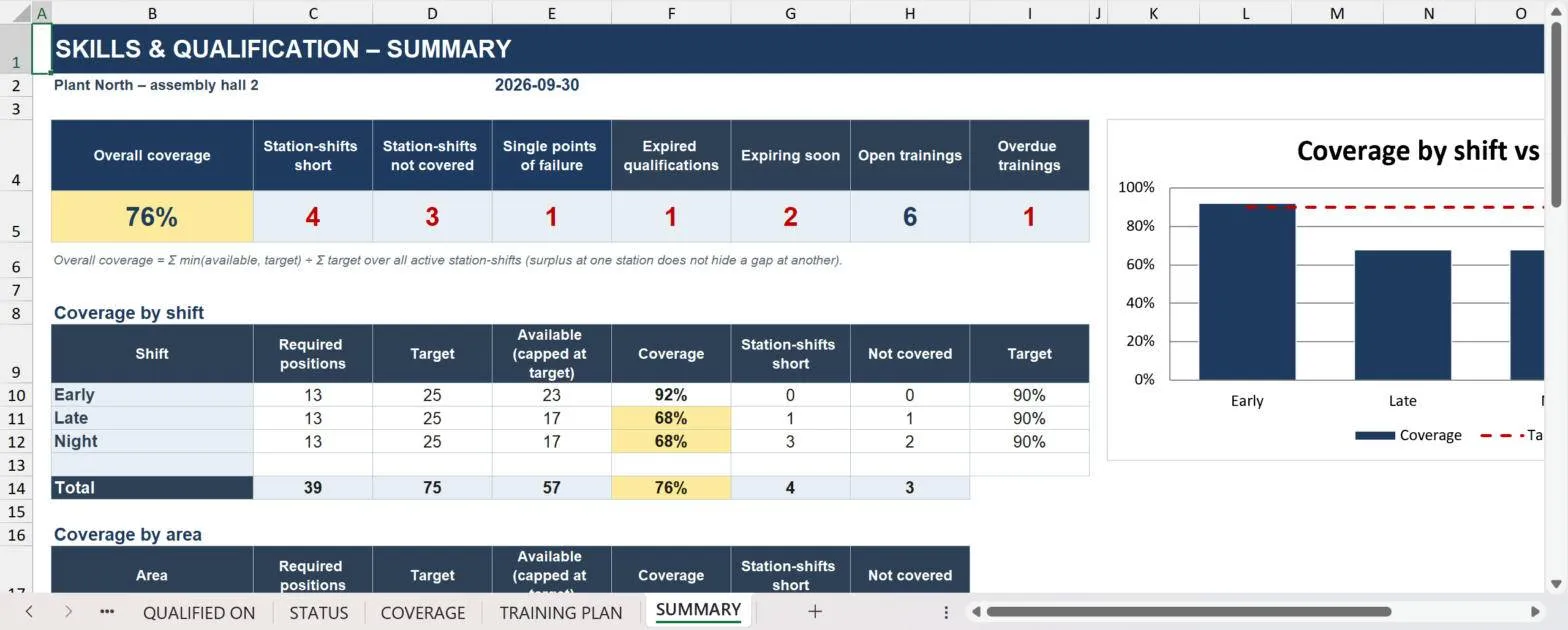
A workforce capability tool for a production area – not an HR system. You record the qualification level of each person for each station (and, where re-qualification is required, the date). The workbook works out who currently counts towards each station in each shift, compares this with the required staffing plus backup, and shows shortages, uncovered stations, single points of failure, expiring qualifications, flexibility and the training backlog.

Key features

  • Sheets: START, SETUP, PEOPLE, STATIONS, MATRIX, QUALIFIED ON, STATUS, COVERAGE, TRAINING PLAN, SUMMARY

What's included

1 Excel workbook (KW-PRD-001-EN-GEN-KIT_Skills-Qualification-Matrix_v1.0.1.xlsx, English) and 3 text files (LICENSE_EN.txt, CHANGELOG_EN.txt, SUPPORT_EN.txt) in one folder.

  • KW-PRD-001-EN-GEN-KIT_Skills-Qualification-Matrix_v1.0.1.xlsx
  • LICENSE_EN.txt
  • CHANGELOG_EN.txt
  • SUPPORT_EN.txt

How it works

  1. SETUP: status date, shifts, backup policy, expiry warning, level names and areas.
  2. PEOPLE and STATIONS: enter the team (with shift) and the stations or tasks (required level, people per shift, re-qualification interval).
  3. MATRIX: enter each person's level per station; QUALIFIED ON: enter the qualification date where the station requires re-qualification.
  4. STATUS, COVERAGE and SUMMARY show the result; plan the gaps in the TRAINING PLAN and review it in the team or production meeting.

First use and example data

  • The workbook contains a fictitious assembly hall with 3 shifts, 4 areas, 12 stations and 30 people. To start your own matrix, select the yellow cells in SETUP (areas), PEOPLE, STATIONS, MATRIX, QUALIFIED ON and TRAINING PLAN and press Delete.

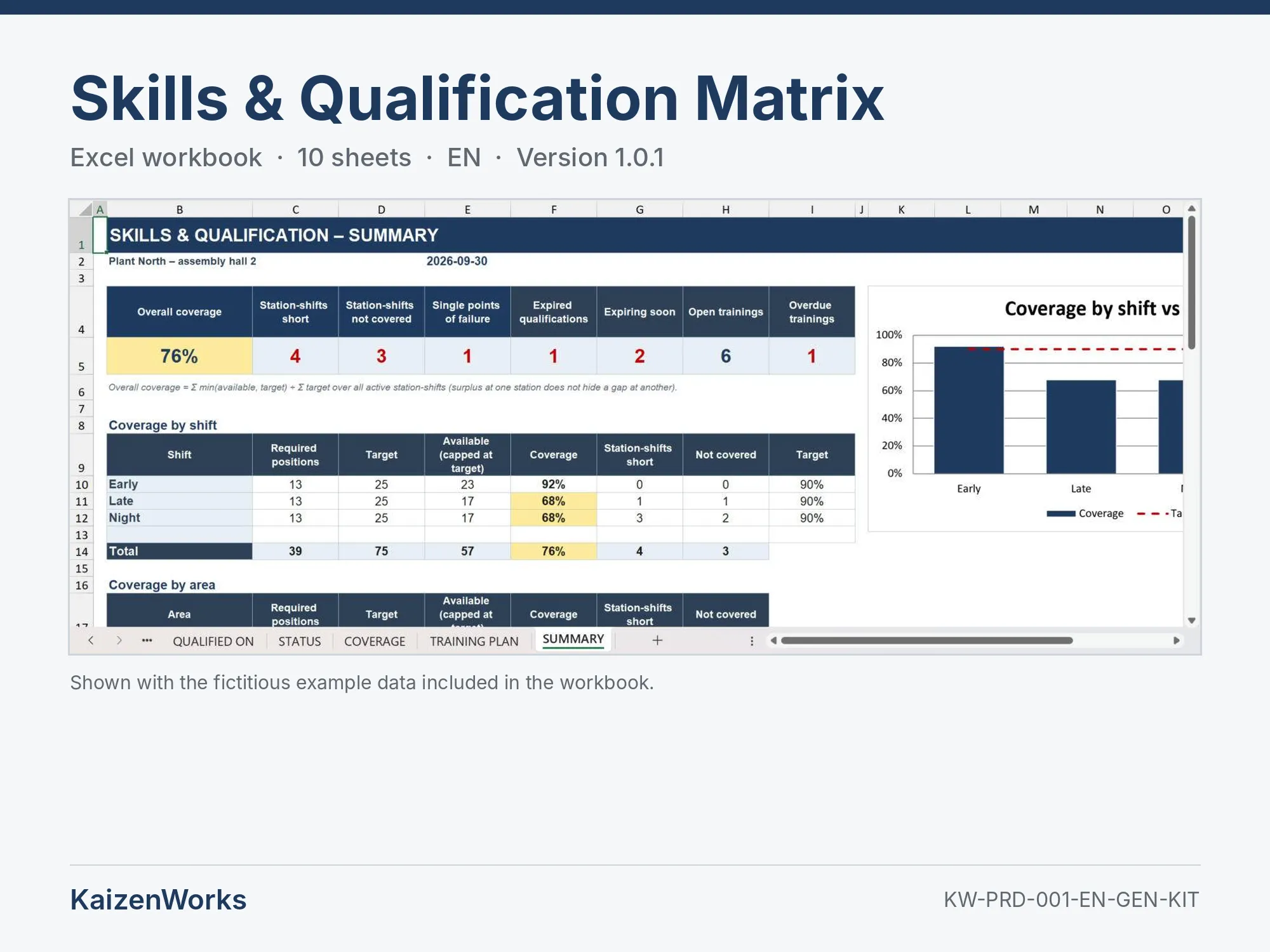
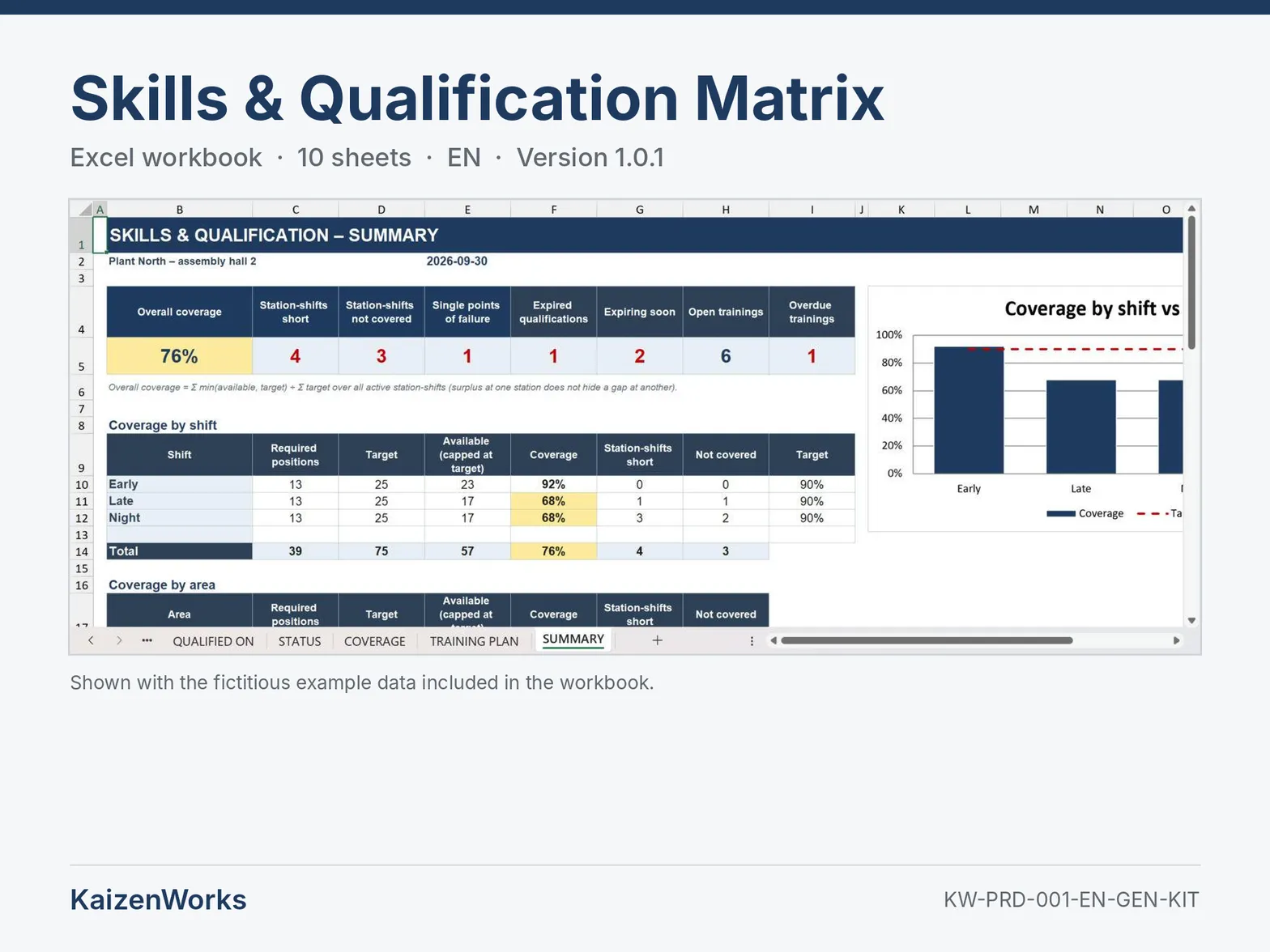
Screenshots from the workbook

Technical information and compatibility

Target environment: Microsoft Excel Desktop on Windows. Tested on Microsoft 365 on Windows 11. No macros, no internet connection. Sheets are protected without a password (Review > Unprotect Sheet). Capacity: 60 people, 30 stations, 4 shifts, 12 areas, 100 training plan rows.

Not tested on Mac, Excel for the web or Google Sheets.

Notes on use and calculation

When does a person count for a station?

1. The person is active and assigned to the shift (a person counts in their own shift only).

  • 2. Their level is at least the station's required level – 'trained' below that level does not count.

3. Where the station has a re-qualification interval, the qualification is not expired on the status date (qualified on + interval). An expired qualification can be renewed; it is not lost for good. Without a date the policy in SETUP decides.

Coverage and risk

  • Required = people needed per shift at the station. Target = required + backup (SETUP). Available = people who count in that shift. Coverage = available ÷ target.
  • Shortage: available < required (the station cannot be fully staffed). Not covered: nobody available. No backup: required met but target not. Single point of failure: only one person counts for the station across all shifts.
  • This is a practical management tool. It can support qualification evidence, but it does not by itself demonstrate compliance with any standard.

File format and delivery

Digital download (ZIP). No physical item is shipped.

Licence

One site, internal use; unlimited users at that site; no redistribution or resale.

Support

For support, please use the messaging function of the shop where you purchased this product.

Related products

  • Microsoft Excel Desktop (Windows)English

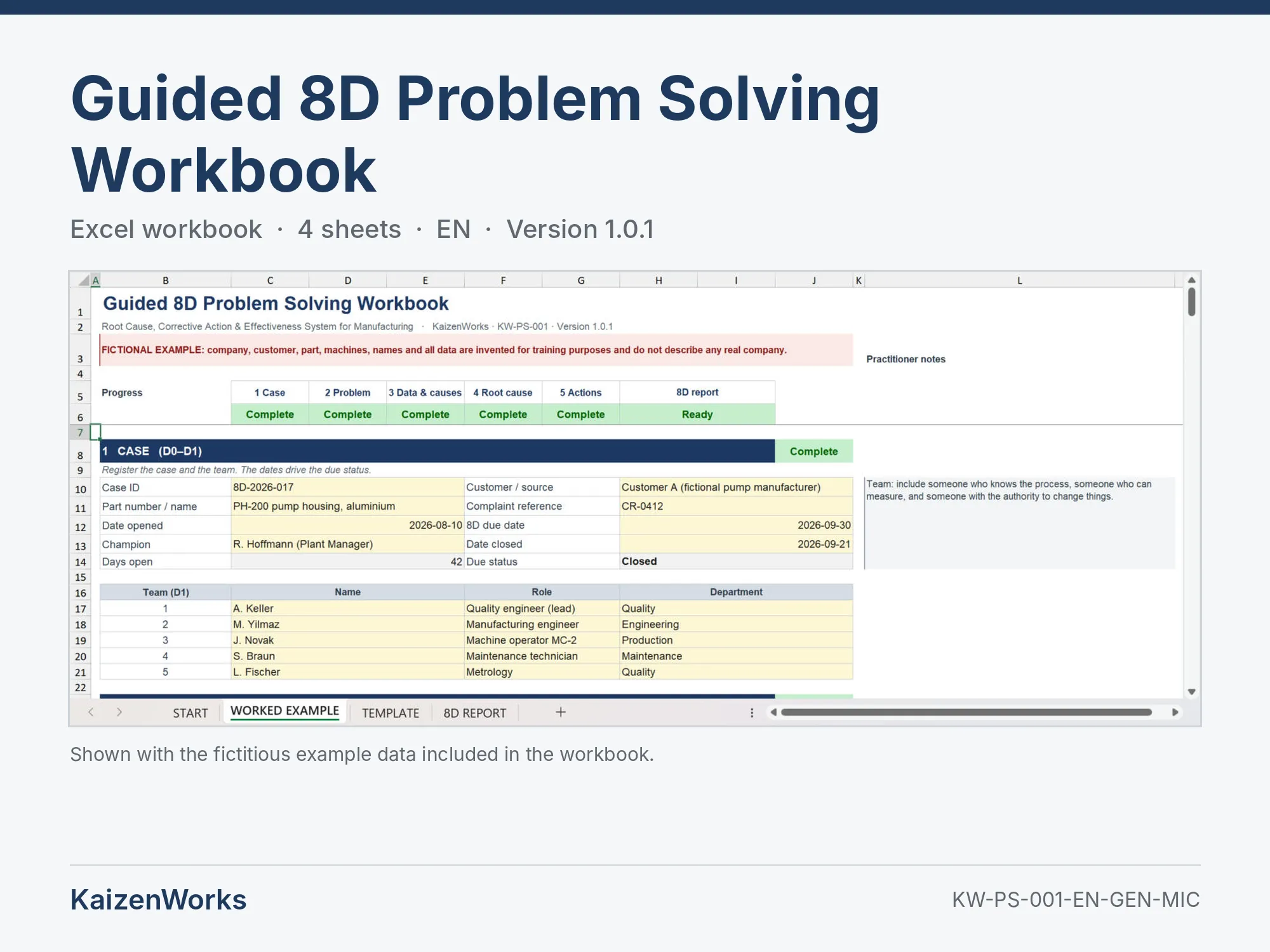
    Guided 8D Problem Solving Workbook

    Root Cause, Corrective Action & Effectiveness System for Manufacturing. It guides you through a structured 8D problem-solving case: from a factual problem definition and containment, through data, possible causes and evidence, to a verified root cause, corrective actions, an effectiveness check and a printable 8D report.

    €14.90View details
  • Microsoft Excel Desktop (Windows)English

    Shopfloor Management System

    Daily SQCDP board, OEE and losses, actions and shift comparison from one daily log. A daily management system for one area or plant.

    €19.90View details